Cheapest Way to Make a Music Video in 2026
Compare the cheapest ways to make a music video in 2026, from free DIY editing to AI generation, freelance help, and traditional production. Use budget scenarios and VibeMV credit math.
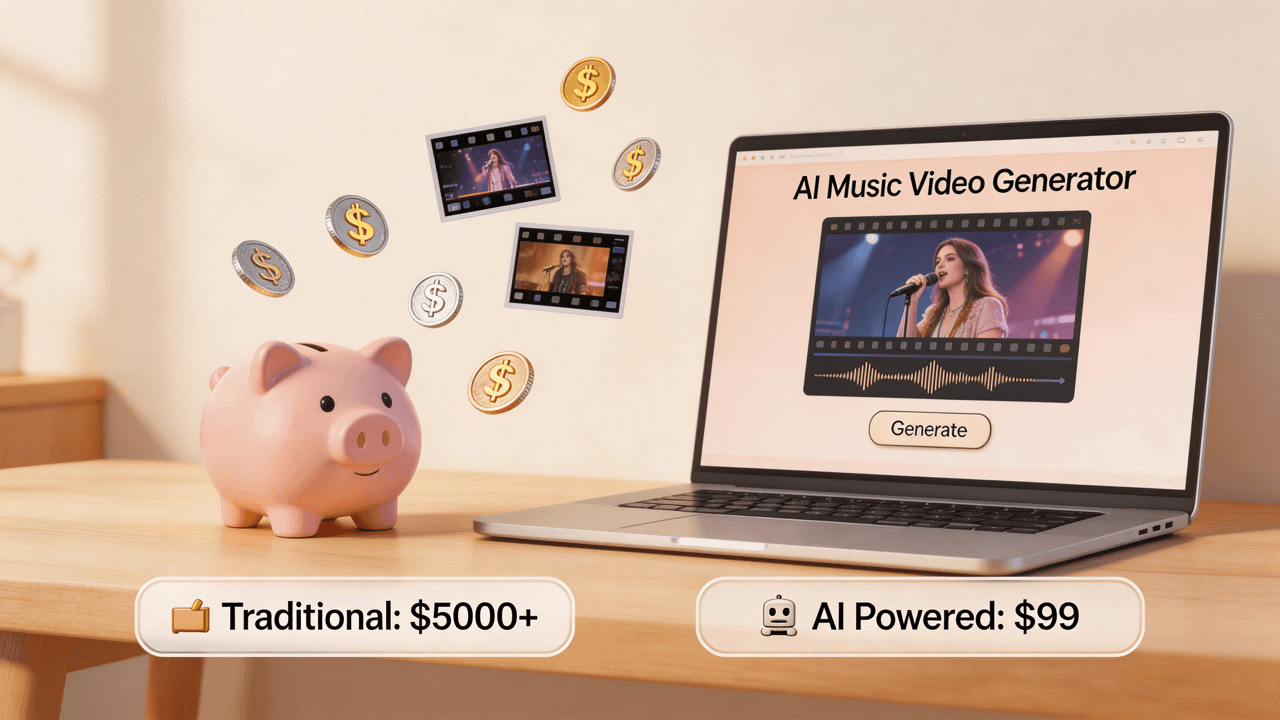
Short answer: the cheapest way to make a music video depends on what you already have. If you already own a phone and can edit, a DIY shoot has the lowest cash cost. If you already have a finished song and want a complete music-synced video without filming, AI generation is usually the most practical low-budget path. For VibeMV, estimate the generation budget as song length in seconds x 2 credits, then add extra room for regenerations, alternate cuts, and optional upscale.
The mistake is asking, "What does one music video cost?" as if every video is the same product. A 20-second teaser, a full-song AI visual, a phone-shot performance video, a lyric video, and a director-led live-action shoot have different costs because they buy different things: time, control, realism, rights work, polish, and revision space.
This guide breaks the options into realistic budget scenarios so you can choose the cheapest method that still fits the release.
Need the broad production overview? Start with how to make a music video. If you already know you want AI, use the AI music video tutorial, compare the best AI music video generators, or test the AI music video generator.
Cheapest Music Video Options by Budget Scenario
| Budget scenario | Cheapest practical route | What you get | Main tradeoff |
|---|---|---|---|
| No cash budget | Phone footage, free editing apps, free visual tools | Simple performance clips, lyric videos, teasers, visualizers | Your time, filming skill, and editing skill become the real cost. |
| Short AI test | VibeMV free credits or another free AI test | A short proof of style, lip sync, or visual direction | Not enough room for a full release-length video without paid credits. |
| First full-song AI video | AI generation with a paid plan or enough credits | A complete music-synced video from finished audio | You need to budget for revisions, review, rights, and optional upscale. |
| Social release pack | Generate one full visual direction, then cut 9:16 clips | YouTube version plus TikTok/Reels/Shorts cutdowns | Requires planning the strongest song sections and checking mobile readability. |
| DIY live-action video | Phone/camera shoot plus free or low-cost editing | Real places, real performance, personal authenticity | Takes more planning, lighting, reshoots, and manual sync work. |
| High-control release | Freelance editor, local crew, or traditional production | Specific locations, actors, choreography, story, brand control | Quote-based and much less predictable than AI or DIY. |
For most independent artists, the useful question is not "What is the absolute cheapest?" It is "What is the cheapest option that matches this song's job?"
If You Have No Cash Budget
The lowest cash-cost path is still DIY:
- Film with a phone you already own.
- Use free editing software such as iMovie, CapCut, or DaVinci Resolve.
- Shoot in a simple location you can legally use.
- Sync the final song manually.
- Export a 16:9 version for YouTube or a 9:16 version for TikTok, Reels, and Shorts.
This can work well for acoustic performances, behind-the-scenes edits, rehearsal footage, simple lyric videos, and raw social clips. It is cheapest in money, but not in effort. You still need to plan shots, record enough takes, cut to the beat, color-correct, review on mobile, and fix export issues.
Use this route when personal performance and real locations matter more than fast turnaround.
If You Want the Cheapest AI Music Video
AI generation is usually the lowest-friction path when you already have finished audio and do not want to organize a shoot.
For VibeMV, the basic math is:
Generated seconds x 2 credits = base credit budget
Examples:
| Target output | Approximate generated length | Base VibeMV credits before revisions |
|---|---|---|
| Short style test | 15 seconds | 30 credits |
| Free-tier test section | 25 seconds | 50 credits |
| Vertical teaser | 30 seconds | 60 credits |
| One-minute social cut | 60 seconds | 120 credits |
| Three-minute song | 180 seconds | 360 credits |
| Five-minute maximum-length song | 300 seconds | 600 credits |
The free tier includes 50 one-time credits, which is useful for a short test section. A full-song video usually needs a paid plan, paid credits, or both, especially if you want multiple generations, alternate aspect ratios, lip-sync refinements, or optional upscale.
Check the pricing page before budgeting because plans, credit packages, and included monthly credits can change. Current plan copy should be treated as the source of truth, not old blog estimates.
What AI Cost Does and Does Not Include
AI can reduce filming, location, crew, and manual assembly costs. It does not remove every part of production.
Budget for:
- Regeneration room. The first render may not be the final version.
- Aspect ratios. A 16:9 YouTube video and a 9:16 short may need different framing.
- Optional upscale. VibeMV defaults to 720p and offers optional 1440p upscale when you need higher resolution.
- Review time. Check faces, hands, text, lip sync, beat cuts, and repeated visual artifacts.
- Rights checks. VibeMV does not clear music rights, cover-song rights, samples, publishing, platform permissions, or third-party assets.
- Commercial-use boundaries. Free credits and credit packs are not the same as a commercial subscription. Check the current plan rules before using outputs commercially.
The cheapest AI workflow is usually not "generate once and publish instantly." It is "test a short section, refine the direction, generate the needed length, then review before release."
DIY vs AI: Which Is Actually Cheaper?
DIY can be cheaper if you already own the gear and value your time at zero. AI can be cheaper if you need a finished visual quickly and would otherwise spend days shooting and editing.
Use DIY when:
- The song needs your real face, band, city, studio, or live performance.
- You can shoot safely in a location you control.
- The rougher, handmade look fits the brand.
- You have time to learn lighting, framing, sync, and editing.
Use AI when:
- The song is already finished and you need visuals without filming.
- You need both horizontal and vertical formats.
- The visual concept can be stylized, abstract, cinematic, surreal, or character-driven.
- You want to test several looks before committing to a bigger production.
- You are releasing often and need a repeatable workflow.
The cheapest long-term system may be hybrid: generate AI visuals for regular releases, film phone footage when authenticity matters, and save higher-control production for the songs that justify it.
When Cheap Is Not Enough
Do not choose the cheapest method when the video needs:
- Real actors, extras, dancers, choreography, or stunts
- A specific location, branded set, vehicle, product, or wardrobe
- Precise story continuity across many scenes
- Real band performance with controlled lighting
- Sponsor, label, or client approval
- Heavy rights review, legal review, or deliverables for paid campaigns
In those cases, AI can still help with moodboards, style tests, storyboard ideas, lyric videos, and social cutdowns, but it should not be positioned as a full replacement for production planning.
A Low-Budget VibeMV Workflow
If your goal is the cheapest serious AI workflow, do it in this order:
- Choose the release job. Decide whether you need a full 16:9 video, a 9:16 social cut, or a short concept test.
- Calculate base credits. Multiply generated seconds by 2.
- Leave revision margin. Do not spend the entire budget on one long first render if you still need to test style or lip sync.
- Upload clean audio. VibeMV supports MP3, WAV, AAC, and M4A up to 100 MB, from 3 seconds to 5 minutes.
- Pick the output format early. Use 16:9 for YouTube and 9:16 for TikTok, Reels, and Shorts.
- Review before export. Check the opening moment, beat alignment, lip sync, repeated shots, text readability, and whether the visual style matches the song.
- Confirm rights and plan rules. Make sure your music, samples, references, and commercial-use status are cleared for the way you plan to publish.
This keeps the page honest: AI can be the cheapest complete video path for many independent artists, but only when the budget includes review and iteration.
Cheapest Music Video FAQ
What is the cheapest way to make a music video?
The cheapest cash option is usually filming with a phone and editing in a free app, if you already have time and basic editing skill. The cheapest path to a complete music-synced AI video is to use an AI music video generator. With VibeMV, estimate the credit budget as song seconds multiplied by 2, then add room for regenerations or optional upscale.
Can a cheap AI music video be used for a real release?
It can, but a low budget does not remove the review work. Review visual consistency, lip sync, beat alignment, aspect ratio, resolution, metadata, and rights before publishing. You also need permission to use the song, master, cover, samples, references, fonts, images, and any third-party assets involved.
How much does a full-song VibeMV video cost in credits?
VibeMV uses 2 credits per generated second. A 3-minute song is 180 seconds, so the base generation budget is about 360 credits before regenerations, alternate cuts, or optional upscale. A 5-minute song is 300 seconds, so the base generation budget is about 600 credits before extras.
Is AI cheaper than hiring a video crew?
Usually, yes, when the goal is a music-synced visual from finished audio and you do not need a real shoot. But a crew buys things AI cannot fully replace: real locations, controlled lighting, actors, choreography, brand direction, and on-set creative decisions.
Is the free tier enough for a full music video?
The free tier is best for testing. VibeMV includes 50 one-time free credits, which covers about 25 generated seconds at 2 credits per second. A full-song video typically needs more credits, especially if you want revisions or multiple aspect ratios.
What is the cheapest way to make videos for TikTok and Reels?
Use a 9:16 vertical workflow and start with the strongest section of the song: hook, chorus, drop, or most memorable lyric. You can film a phone clip, edit in a free app, or generate a short AI visual. For VibeMV, calculate the clip length in seconds x 2 credits.
What to Do Next
If you are still deciding how to make the video, read the broad music video creation guide. If you already want AI, open the AI music video generator and test a short section first. If you need to compare plans, use the pricing page. If your budget is zero, compare the free music video maker options before committing to a full-song workflow.
The cheapest music video is not the one with the lowest headline price. It is the one that gives the song enough visual support without spending money on control, production value, or revisions you do not actually need.
More Posts
![AI Music Video for YouTube: Upload-Ready Workflow [2026]](/_next/image?url=%2Fimages%2Fblog%2Fai-music-video-for-youtube.png&w=3840&q=75 "AI Music Video for YouTube: Upload-Ready Workflow [2026]")
AI Music Video for YouTube: Upload-Ready Workflow [2026]
Create a YouTube-ready AI music video from audio: 16:9 format, credits, export quality, thumbnails, descriptions, Shorts clips, and rights checks.

![Music Video Copyright Guide: AI Tools, Pre-Licensed Music & Commercial Use [2026]](/_next/image?url=%2Fimages%2Fblog%2Fmusic-video-copyright-guide.png&w=3840&q=75 "Music Video Copyright Guide: AI Tools, Pre-Licensed Music & Commercial Use [2026]")
Music Video Copyright Guide: AI Tools, Pre-Licensed Music & Commercial Use [2026]
Complete guide to music video copyright, sync licensing, pre-licensed music for commercial use, AI-generated content rights, and platform policies. Essential for musicians using AI video generators.
![AI Music Video for Independent Artists: Release Workflow [2026]](/_next/image?url=%2Fimages%2Fblog%2Fai-music-video-for-independent-artists.png&w=3840&q=75 "AI Music Video for Independent Artists: Release Workflow [2026]")
AI Music Video for Independent Artists: Release Workflow [2026]
Plan a credible AI music video workflow for independent artists: song prep, visual direction, credits, aspect ratios, release assets, and when to hire a video team.